As a busy mom, I don’t have hours to spend comparing dozens of hosting companies, figuring out complicated tech, or paying for blogging tools I don’t actually need.
When I work on my blog, I want things to be simple, affordable, and reliable—because my time is limited.
The good news is that you don’t need an expensive setup to start a real WordPress blog. You need a domain, reliable hosting, WordPress, and a simple plan for what to do next.
In this guide, I’ll show you how to start a WordPress blog on a budget using HostArmada, the hosting provider I personally use for my own blog. I’ll also share screenshots from my real account and some of my experiences with their support, so you can see what using it is actually like.
Disclosure: This post may contain affiliate links. If you purchase through these links, I may earn a small commission at no additional cost to you. As an Amazon Associate, I earn from qualifying purchases. For more information, please read my full Affiliate Disclosure
Why I Personally Use HostArmada for My WordPress Blog
Before I show you how to set up your WordPress blog, I want to explain why I’m using HostArmada in this tutorial.
It’s simple: HostArmada is the hosting provider I actually use for my own blog.
I use HostArmada to host Mama of 3 Hearts, so throughout this guide, I’ll share screenshots from my real account and my own experience with their support.
And one thing that has stood out to me is how quickly I’ve received help when I’ve needed it.
I’m an Actual HostArmada Customer
Here’s a look inside my own HostArmada account:
I think this is important to show because I’m not recommending a hosting provider I’ve never used. I’m sharing the same hosting service I use for my own WordPress blog.
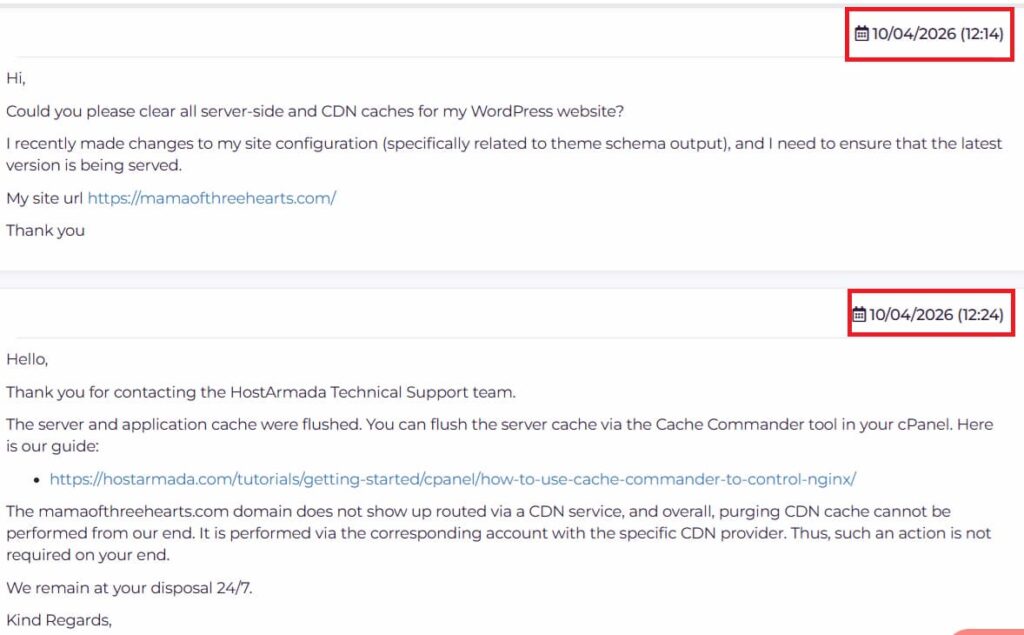
When I’ve Needed Help, I’ve Received Replies Within Minutes
As a busy mom, this matters to me a lot.

I don’t have hours to sit at my computer waiting for a response while my website has a technical problem. When something goes wrong, I want to deal with it and get back to everything else I need to do.
In my own experience with HostArmada, I’ve received responses to my support requests within minutes—not hours.
Here are screenshots from my actual support conversations showing when I contacted them and when they replied:
You can see the timestamps here showing how quickly I received a response.
Of course, response times can vary depending on the issue and when you contact support. I’m simply sharing what I’ve personally experienced.
See HostArmada’s Current WordPress Hosting Plans
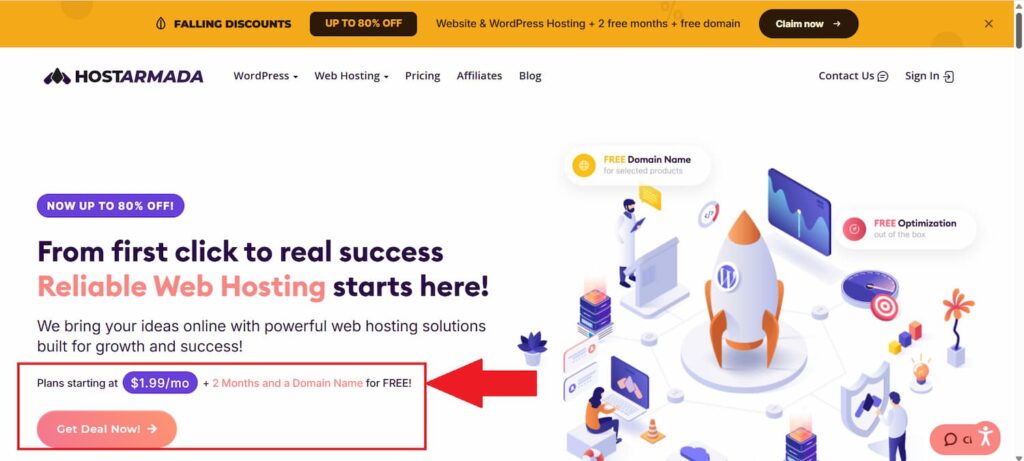
Create Your HostArmada Account
Once you’ve decided which plan fits your needs, follow HostArmada’s checkout process to create your account.
Take your time on this page.
Don’t click through simply because you want to get your blog online as quickly as possible.
Check:
- Your selected hosting plan
- Billing period
- Domain options
- Any optional services
- Your total amount due
- Future renewal pricing
This is especially important when you’re starting a blog on a budget.
A low advertised monthly price doesn’t necessarily mean you’ll be billed monthly, so look at the actual total at checkout before paying.
Is HostArmada Worth Considering for a Beginner Blogger?
If you’re starting your first WordPress blog and trying to keep your costs reasonable, I think HostArmada is worth looking at.
But I want to be clear about why I’m recommending it.
I’m not recommending HostArmada simply because I have an affiliate link.
You’ve seen screenshots from my account in this article.
I’ve contacted their support.
They’ve helped me with Cloudflare.
They’ve helped me when my site encountered a 502 error.
And I’ve personally experienced the response times I’ve talked about throughout this post.
That firsthand experience is why I’m comfortable including HostArmada in a tutorial for someone starting a WordPress blog.
That doesn’t mean you should click “buy” without looking at the details.
Before purchasing any hosting plan, check the current:
- Price
- Billing period
- Renewal price
- Plan limits
- Included features
- Terms and refund policy
Choose based on your needs and budget.
Why Good Hosting Support Matters More Than I Realized
When your website is working normally, it’s easy to forget about your hosting company.
You log into WordPress, write your articles, upload your images and get on with your day.
Then something breaks.
That’s when your choice of hosting suddenly becomes much more noticeable.
I’ve already shared two examples from my own experience: getting help with my Cloudflare setup and dealing with the 502 Bad Gateway error after a WordPress update.
In both situations, what mattered to me wasn’t a long list of hosting specifications.
It was being able to ask for help and, in my experience, receive a response within minutes rather than waiting for hours.
As a busy mom, I don’t want a technical issue to consume the limited hours I have available to work on my blog.
That’s one of the biggest reasons support has become an important part of how I think about hosting.
Start Simple — You Can Upgrade Your Blog Later
If there’s one thing I want you to take away from this guide, it’s this:
You don’t need everything at the beginning.
You don’t need the perfect website.
You don’t need an expensive theme.
You don’t need ten premium plugins.
You don’t need every blogging tool another blogger recommends.
And you definitely don’t need to understand everything about WordPress before you begin.
Start with the foundation.
Get your domain.
Choose reliable hosting.
Install WordPress.
Publish your first useful piece of content.
Then keep learning and improving as your blog grows.
That’s the approach I would take if I were starting again on a limited budget.
Ready to Start Your WordPress Blog?
HostArmada is the hosting provider I personally use for my own blog, and you’ve seen some of my real experiences with their support throughout this guide.
If you’d like to see whether HostArmada fits your budget and your new blog, you can check their current WordPress hosting plans below.
→ Start Your WordPress Blog With HostArmada
Install WordPress
Now it’s time to actually create your WordPress blog.
One thing I want to make clear for complete beginners is that HostArmada and WordPress are not the same thing.
HostArmada provides your hosting.
WordPress is the software you’ll use to create and manage your website.
You don’t need to buy WordPress separately. WordPress itself is free.
Once your hosting account is ready, you can install WordPress through your hosting account.
Log Into Your WordPress Dashboard
After WordPress is installed, you’ll be able to access your WordPress admin dashboard.
It will look something like this:
This is where you’ll spend a lot of your blogging time.
From here, you can:
- Write blog posts
- Create pages
- Upload images
- Change your theme
- Install plugins
- Manage comments
- Adjust your website settings
If the dashboard looks overwhelming the first time you open it, don’t worry.
You don’t need to understand every button.
Learn what you need as you need it.
That’s still how I approach many parts of blogging.
Choose a Simple WordPress Theme
Your theme controls much of the appearance and layout of your blog.
And this is an easy place to overspend when you’re excited about starting.
You see a beautiful website and immediately think:
I need a premium theme before I can launch.
You don’t.
There are free WordPress themes that are more than enough to get a new blog started.
Focus on finding something that is:
- Mobile-friendly
- Easy to read
- Relatively lightweight
- Simple to customize
- Compatible with WordPress
You can always upgrade your design later.
Your readers are coming to your blog because they want useful information—not because you spent hundreds of dollars creating the perfect homepage.
Install Only the Plugins You Actually Need
WordPress plugins add additional functionality to your website.
There are plugins for almost everything.
SEO.
Security.
Backups.
Forms.
Analytics.
Social sharing.
Design.
And thousands of other things.
That doesn’t mean you should install all of them.
When you’re starting, keep your WordPress setup as simple as possible and install plugins because you actually need their functionality—not because someone included them on a list of “50 plugins every blogger needs.”
Many useful WordPress plugins have free versions, so this is another area where you don’t necessarily need to spend money immediately.
What You DON’T Need to Buy When Starting Your Blog
This part is important because starting a blog can become expensive very quickly if you believe every tool is essential.
It isn’t.
When you’re just getting started, you probably don’t need to immediately pay for:
- An expensive premium theme
- A premium page builder
- Multiple premium WordPress plugins
- Expensive stock photography
- Professional branding
- A custom logo
- Several AI subscriptions
- An expensive blogging course
- Every SEO tool another blogger recommends
You can add paid tools later when you understand why you need them.
I would rather put my initial budget into building a solid foundation for the website and then upgrade other parts of my blogging setup as the blog grows.
My Simple Budget WordPress Blogging Setup
If I were starting from scratch and trying to keep my costs under control, I’d keep my setup very simple.
What I’d Pay for First
Hosting: HostArmada
Your blog needs somewhere to live, so hosting is one of the foundational expenses.
What I’d Start With for Free
WordPress: Free
Theme: Start with a free theme
Plugins: Use free versions where they meet your needs
Google Analytics: Free
Google Search Console: Free
What I’d Consider Adding Later
Keyword research: KeySearch
That’s it.
I wouldn’t start by subscribing to ten different blogging tools.
I’d get the website online, learn how to use it, start publishing useful content and then invest in additional tools when I have a specific reason for needing them.
Already Have Your Blog Set Up?
If your WordPress blog is already online and your next question is “What should I write about?”, you can explore KeySearch for keyword and content research.