


If you’ve been thinking about starting a blog but keep telling yourself, “I just don’t have enough time,” I understand.
As a busy mom, there is always something that needs your attention. Kids, work, meals, laundry, appointments, school schedules — and somehow you’re supposed to find time to build a blog too?
Related post : I Had Zero Tech Skills, Zero Followers, and Barely Any Free Time — Yet I Got Accepted Into Journey by Mediavine
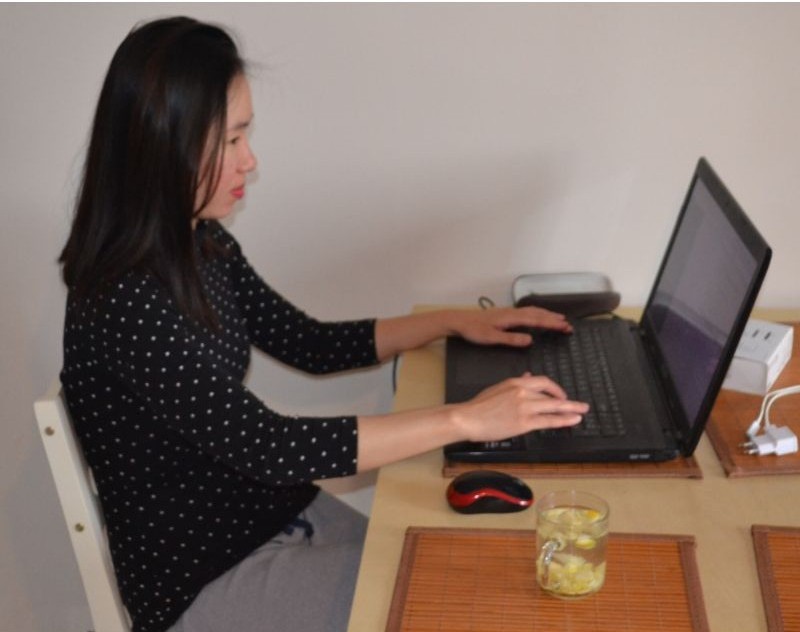
I didn’t wait until I had more time, a home office, or the perfect conditions to start blogging. I started at my kitchen table at 5 AM. And I’m still showing up, one morning at a time.
You can build a blog little by little, working with the time you actually have. That’s how I approach blogging while raising three kids and working from home. I’ve also shared more about this in How I Work From Home With a Toddler Without Going Crazy.
Disclosure: This post may contain affiliate links. If you purchase through these links, I may earn a small commission at no additional cost to you. As an Amazon Associate, I earn from qualifying purchases. For more information, please read my full Affiliate Disclosure
Decide Why You Want to Blog and What You’ll Blog About
Before worrying about WordPress, SEO or anything technical, think about two things:
Why do you want to start a blog, and what do you want to write about?
Maybe you want a creative space of your own, have something useful to share, or want to build an extra source of income from home.
I also recommend keeping a notebook nearby for all those random blog ideas that seem to pop into your head while you’re making dinner, folding laundry or getting the kids ready for bed.
I liked this fun spiral notebook called Stuff I Absolutely Need to Remember But Will Probably Forget, which feels very appropriate for mom life! You can use it to keep your blog ideas, post ideas and little reminders all in one place.
When choosing what to blog about, look for the overlap between:
what you know + what you enjoy + what people are searching for.
You don’t need the “perfect niche” before you start. You can narrow your focus as your blog grows.
Related Post : How to Monetize a Small Blog Before You Have Thousands of Visitors
But if making money is one of your goals, it’s worth checking whether people are actually searching for your ideas.
And that brings us to the next step: keyword research.
Research Your Ideas Before You Spend Hours Writing
When you’re already a busy mom, your time is one of your most valuable resources.
If I have a few hours available to work on my blog, I don’t want to spend them writing an article around a keyword that is extremely competitive or has almost no search demand.
This is where keyword research can help.
One tool you can use is KeySearch.
KeySearch helps you research keywords, look at search volume, evaluate competition and find related keyword ideas before you decide what to write.
Instead of guessing:
“Maybe people are searching for this?”
you can research the idea first.
This is especially useful for a newer blog because you can look for more specific, lower-competition opportunities rather than immediately trying to compete with huge websites.
You don’t need to let SEO dictate every article you write.
But when your blogging time is limited, having data behind your content decisions can help you use that time much more intentionally.
→ Try KeySearch and research your first blog topic here.
Choose Your Domain Name
Now your blog needs a name.
Don’t spend weeks trying to find the perfect one. Choose something that is:
- easy to remember
- easy to spell
- relevant to your brand
- flexible enough to grow with you
Before deciding, I also like to use Keysearch to research keywords around my blog idea and see what people are actually searching for.
Your domain doesn’t need to include a keyword, but a little research can help you choose the right direction.
Once you have a name in mind, it’s time to actually get your blog online — and that starts with choosing your web hosting.
Choose Reliable Hosting — Especially If Your Time Is Limited
Your hosting is where your blog lives, and this is one area where I wouldn’t choose based on price alone.

As a busy mom, I don’t want to spend my limited blogging time fixing technical problems.
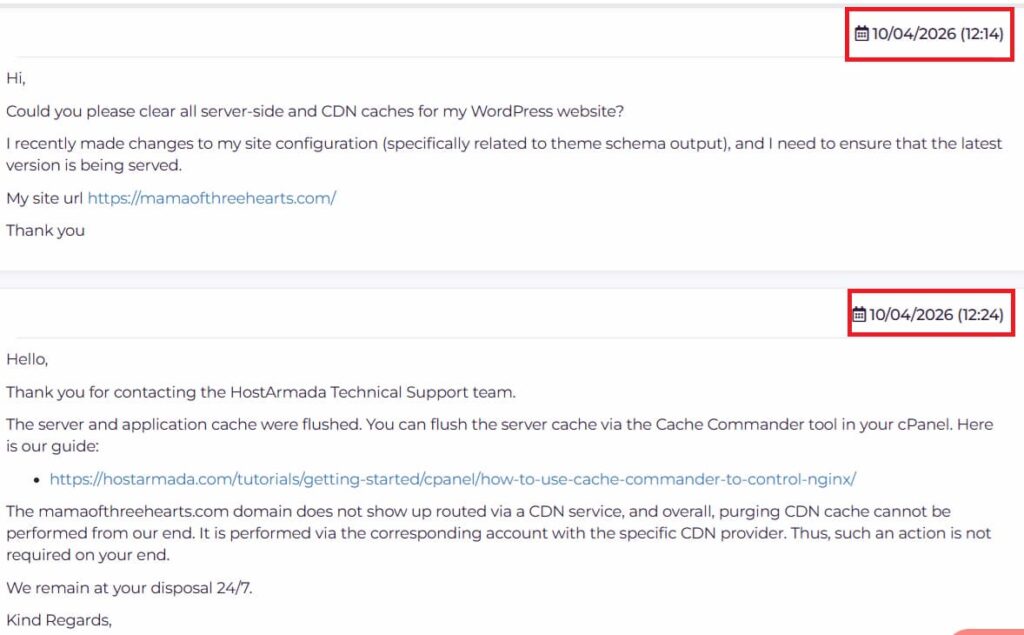
I use HostArmada for my own website, and when I had a technical issue, their support helped resolve it in around 10 minutes. That’s exactly what I want from my hosting: help when I need it so I can get back to blogging.
Related Post: How to Start a WordPress Blog on a Budget (Without Choosing Bad Hosting)
HostArmada also offers a 45-day money-back guarantee on Shared Hosting and 7 days on VPS/DCPU Servers, which gives you some extra peace of mind when getting started.
→ See HostArmada’s current hosting plans and prices here.
Step 6: Install WordPress
Once you have your domain and hosting, it’s time to set up WordPress.
Don’t worry if you’ve never built a website before.
You don’t need to know how to code to start a WordPress blog.
WordPress gives you the foundation for your site, and from there you can choose a theme, create your main pages and begin publishing content.
At this stage, keep things simple.
You do not need every premium blogging tool someone on the internet tells you to buy.
A simple website that is actually online is far more useful than the “perfect” website you’ve been planning for six months.
Step 7: Create the Essential Pages
Before publishing lots of blog posts, set up the basic structure of your site.
Related Post : Are You Blogging Legally? 3 Legal Pages Every Blogger Should Know About
At minimum, you’ll likely want pages such as:
- About
- Contact
- Privacy Policy
- Terms or Disclaimer
- Affiliate Disclosure, if you use affiliate links
If you’re planning to monetize your blog, don’t ignore the legal side.
You can always improve your website as your blog grows, but having the basic foundations in place makes your site feel much more established from the beginning.
Step 8: Write Your First Helpful Blog Post
Now comes the fun part.
Don’t worry about publishing ten articles immediately.
Start with one genuinely useful post.
Think about a problem your ideal reader has and create the best answer you can.
Instead of asking:
“What should I write today?”
try asking:
“What is my reader trying to solve?”
Then use your keyword research to understand how people describe that problem and what they search for.
You can start with an idea, research related searches and use that information to shape an article that has a clearer purpose.
Research first. Write second.
For a busy mom, that simple change can save a lot of wasted time.
Step 9: Don’t Wait Until Everything Is Perfect
Your first blog posts probably won’t look like your posts two years from now.
That’s okay.
Your writing will improve.
Your photography will improve.
You’ll understand SEO better.
You’ll learn what your audience responds to.
And you’ll probably change things on your website many times.
The important part is that you started.
I would rather publish something useful today and improve it later than spend months waiting for everything to be perfect.
You Don’t Need More Hours — You Need to Use the Hours You Have Well
Starting a blog as a busy mom isn’t about magically finding an extra eight hours in your day.
It’s about being intentional with the time you already have.
Choose your niche thoughtfully.
Research before you write.
Use tools that help you make better decisions.
And choose reliable technology that doesn’t constantly pull you away from creating content.
That’s exactly why KeySearch and HostArmada solve two different problems for me.
KeySearch helps me decide what is worth writing about.
HostArmada helps me spend less time worrying about the technical side of keeping my blog online.
One helps me use my content time more wisely.
The other helps protect my technical time.
And when you’re building a blog around kids, work and everyday life, saving time matters.
You don’t have to build the entire blog today.
Choose your idea. Get your website online. Write your first useful post. Then keep going.


One Comment