


Have you ever thought about starting a blog, only to wonder how you could possibly find the time between kids, work, and everything else on your to-do list?
I know that feeling.
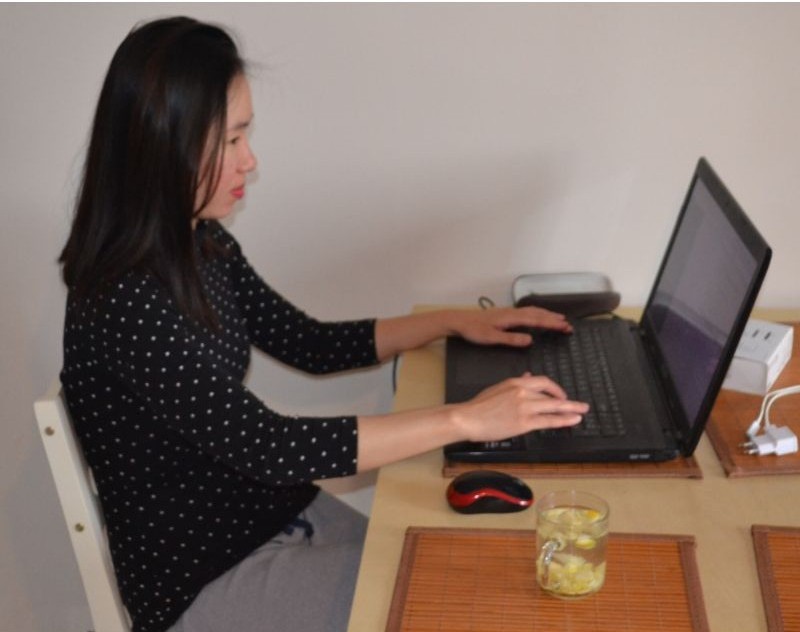
I’m a mom of three, and I started building my blog at our kitchen table, often around 5 or 6 in the morning, before the busy day began.
I didn’t have hours of free time, a perfect plan, or all the technical skills.
I simply had an idea, a laptop, and the desire to build something of my own.
And that’s what I want you to know: you don’t need to have everything figured out to start a blog.
Whether you want to share your experiences, help other moms, or eventually create an online income stream, I’ll walk you through how to start a blog step by step, even with a busy family schedule.
Disclosure: This post may contain affiliate links. If you purchase through these links, I may earn a small commission at no additional cost to you. As an Amazon Associate, I earn from qualifying purchases. For more information, please read my full Affiliate Disclosure
Why Start a Blog as a Busy Mom?
One of my favorite things about blogging is that you can build it around your life instead of trying to fit your life around it.
You don’t need an office, a professional background in writing, or eight uninterrupted hours every day.
Here are a few reasons blogging might be worth exploring.
1. Share What You Already Know
Think about the things you do every day.
Maybe you’re good at organizing your home, planning family meals, keeping toddlers entertained, or managing a busy schedule.
Those everyday experiences could become helpful blog posts for someone searching for answers.
You don’t need to be an expert in everything. You just need to share useful information based on what you genuinely know.
2. Build Something of Your Own
Motherhood can be incredibly rewarding, but sometimes it’s nice to have a project that belongs to you.
Your blog can become a place to share your ideas, learn new skills, and create something you’re proud of.
3. Work on Your Own Schedule
You might write during nap time, early in the morning, or after the kids go to bed.
Some days, you’ll have an hour. Other days, you’ll have 15 minutes.
Both count.
4. Create Opportunities to Earn Money Online
A blog can eventually generate income through affiliate marketing, display advertising, digital products, and other opportunities.
It takes time, effort, and consistent work, and there’s no guarantee of income.
But you can start small and build toward something bigger.
How to Start a Blog as a Busy Mom: 10 Simple Steps
Starting a blog might sound technical, especially if you’ve never built a website before.
But when you break it into smaller steps, it becomes much easier to understand.
Here’s where I would start.
Step 1: Choose What You Want to Blog About
Before starting your blog, think about what you enjoy and what you could help others with. This is called your blogging niche.
Some popular ideas include parenting, easy recipes, home organization, personal finance, travel, and productivity.
I started Mama of Three Hearts by sharing kids’ activities. Over time, I discovered that I also enjoyed writing about motherhood, blogging, and building an online business.
My tip: Don’t just choose a topic you love. Find out what people are actually searching for!
I use Keysearch to discover keyword ideas, check search volume, and find less competitive topics worth writing about.
Not sure if your blog idea has potential?
Stop guessing what people want to read. Use Keysearch to research your niche and discover keywords before spending hours writing content.
Try Keysearch — Find Blog Topics People Are Searching For
Step 2: Choose a Blog Name and Domain
Now comes the fun part — naming your blog!
Choose a name that’s short, easy to spell, memorable, and flexible enough to grow with you.
For example, my blog is called Mama of Three Hearts, and my domain is mamaofthreehearts.com.
Your domain is simply your website’s address.
My tip: Don’t spend weeks searching for the perfect name. Choose something that fits your brand and move on to building your blog!
Step 3: Choose Web Hosting for Your Blog
Once you have a blog name, you’ll need somewhere to build your website.
This is where web hosting comes in.
Think of it this way:
- Domain name: Your website’s address.
- Web hosting: The space where your website lives.
- WordPress: The software you use to build and manage your blog.
If you’re new to blogging, one hosting provider worth considering is Bluehost.
Why Bluehost Could Be a Good Choice for New Bloggers
One feature I particularly like is that Bluehost’s Starter WordPress hosting plan currently allows you to host up to 10 websites under one hosting plan.
This is useful if you have more than one blogging idea.
Maybe you want to start a parenting blog today.
Later, you might decide to create a separate blog about recipes, home organization, or travel.
Instead of immediately purchasing another hosting plan, you could add more websites to your existing plan, as long as you stay within its resource limits.
The Starter plan currently includes:
- Hosting for up to 10 websites
- 10 GB NVMe storage shared across your websites
- A free domain for the first year with eligible hosting terms
- Free SSL certificate
- Free CDN
- WordPress setup tools
- 24/7 chat support
- 30-day hosting money-back guarantee, subject to Bluehost’s terms
Keep in mind that the free-domain offer does not mean you receive 10 free domain names. Additional domains may need to be purchased separately.
My advice for busy moms? Start with one blog and focus on growing it. But it’s nice knowing you have room to explore other ideas later.
CHECK BLUEHOST’S CURRENT WORDPRESS HOSTING PLANS
How to Get Started With Bluehost
Here’s the basic process.
Go to Bluehost’s WordPress hosting page and explore the available plans.
2. Choose Your Hosting Plan
For a beginner, the Starter plan may provide everything you need.
Before choosing, compare the introductory price, renewal price, billing period, and storage limits.
You don’t necessarily need the most expensive plan when you’re just starting.
3. Choose Your Domain Name
If your selected hosting term qualifies for a free first-year domain, you can search for an available domain during signup.
For example, if your blog is called The Organized Mama, you might search for:
theorganizedmama.com
If it’s available, you can register it.
4. Create Your Account
Enter your account information and follow the signup instructions.
5. Review Your Order
Before paying, check your total cost, renewal rate, and any optional extras.
Remember that an advertised monthly rate may require paying for a longer hosting term upfront.
6. Complete Your Purchase
Once you’ve reviewed everything, complete the signup process and follow Bluehost’s onboarding instructions.
And just like that, you’re one step closer to having your own blog!
Step 4: Set Up WordPress
Now that you have your domain and hosting, it’s time to create your website.
I recommend WordPress because it gives you flexibility to publish articles, organize content, customize your website, and add features as your blog grows.
You don’t need to know how to code.
If you signed up for Bluehost WordPress hosting, follow its onboarding process to set up WordPress.
Once you’re inside the WordPress dashboard, you’ll see options such as:
- Posts: Where you write blog articles.
- Pages: Where you create your About, Contact, and other pages.
- Appearance: Where you manage your website’s design.
- Plugins: Where you add extra website features.
- Settings: Where you configure basic website options.
Don’t worry about understanding everything immediately.
I learned WordPress gradually, and you can too.
Step 5: Choose a Simple WordPress Theme
This is where many new bloggers spend far too much time.
You start looking at beautiful website designs, changing fonts, choosing colors, and moving things around.
Before you know it, you’ve spent days designing a website without writing a single blog post!
I recommend starting with a clean, mobile-friendly theme.
Look for something that’s easy to navigate, loads quickly, and makes your content easy to read.
You can begin with a free WordPress theme and upgrade later if you need additional features.
Remember: Your readers come for helpful content, not a perfect logo or fancy website design.
Step 6: Create Your Essential Blog Pages
Before you start promoting your blog, make sure your website has the basic pages readers need.
About Page
Introduce yourself, explain why you started your blog, and tell readers what they can expect.
Contact Page
Make it easy for readers and potential partners to contact you.
Privacy Policy
Explain how your website collects, uses, and handles personal information. Your legal obligations depend on your location, audience, and website tools.
Affiliate Disclosure
If you plan to earn commissions through affiliate links, clearly disclose your affiliate relationships.
You may also need Terms and Conditions, a cookie notice or consent mechanism, and other disclosures depending on your circumstances.
I recommend setting up these pages early rather than waiting until your blog starts making money.
Step 7: Write Your First Blog Posts
Now comes my favorite part: creating content!
When you’re just starting, don’t worry about publishing 50 articles.
Instead, focus on writing a few genuinely useful posts that solve specific problems.
For example, if your blog is about activities for toddlers, you could write:
- 15 Easy Toddler Activities Using Things You Already Have
- Simple Rainy Day Activities for Toddlers
- Easy Fine Motor Activities Without Fancy Toys
- How to Keep a Toddler Busy While You Work From Home
Notice how each title addresses something a reader might be searching for.
That’s the approach I use for my own blog.
Instead of writing only about what happened during my day, I think about what another busy mom might need help with.
My tip: Choose five related blog post ideas and start writing them one at a time.
You don’t need to publish every day. Consistency matters more than rushing.
Step 8: Learn Basic SEO Before Writing Too Many Posts
SEO stands for search engine optimization.
It’s the process of helping search engines understand your content so people can discover it through search results.
When I started learning about blogging, I realized that writing helpful content was only part of the process.
I also needed to understand what people were actually searching for.
For example, instead of writing an article titled:
Fun Things We Did at Home
You might write:
15 Easy Indoor Activities for Toddlers on Rainy Days
The second title is much clearer about what readers will find.
Start With Keyword Research
Before writing a post, research the words and phrases your ideal readers use when searching online.
Look for topics that are relevant to your niche and realistic for your website to compete for.
You can start with Google’s search suggestions and other free research methods.
As your blog grows, you might explore dedicated keyword research tools.
I also recommend creating articles around related topics and linking them together.
Step 9: Start Getting Traffic to Your Blog
One thing I wish more beginners understood is that publishing a blog post doesn’t automatically bring readers to your website.
You also need a plan to help people discover your content.
There are several ways to do this, but I recommend starting with one or two rather than trying to be everywhere.
Google Search
When you publish helpful, well-organized articles around relevant keywords, they may eventually appear in Google search results.
SEO takes patience, especially with a new website.
Pinterest has played an important role in growing my blog.
I started using Pinterest to share my kids’ activities, and over time, it became one of the main ways readers discovered my website.
What I love about Pinterest is that a pin can lead someone directly to a helpful blog post.
For example, I might create several pins for one article, each with a different title or visual hook.
A blog post about toddler activities might have pins titled:
- No Screens, No Fancy Toys — Just 15 Easy Toddler Activities
- 15 Toddler Activities for Days When You Have No Idea What to Do
- Keep Little Hands Busy With These 15 Simple Activities
Each pin points readers toward the same useful article but highlights a different reason to click.
You don’t need to master Pinterest overnight.
Start by creating helpful content and learning what your audience responds to.
Email Marketing
As your blog grows, you can also build an email list to stay connected with readers.
But don’t overwhelm yourself by trying to launch every marketing channel in your first week.
My tip: Focus on creating good content first, then choose one traffic strategy you can work on consistently.
Step 10: Learn How to Make Money From Your Blog
If you’re starting a blog because you’d eventually like to earn money online, you’re probably wondering how bloggers actually make money.
There are several possibilities.
Affiliate Marketing
Affiliate marketing means recommending products or services through special tracking links.
When someone makes a qualifying purchase through your link, you may earn a commission.
For example, this article includes a Bluehost affiliate link.
If you decide to purchase an eligible hosting plan through that link, I may receive a commission at no additional cost to you.
The important thing is to recommend products that are genuinely relevant to your readers.
You don’t need thousands of visitors to begin learning about affiliate marketing, although sales are never guaranteed.
Related post : How to Monetize a Small Blog Before You Have Thousands of Visitors for more ideas.
Display Advertising
Another way bloggers earn money is by displaying ads on their websites.
This is one of the ways I currently monetize Mama of Three Hearts.
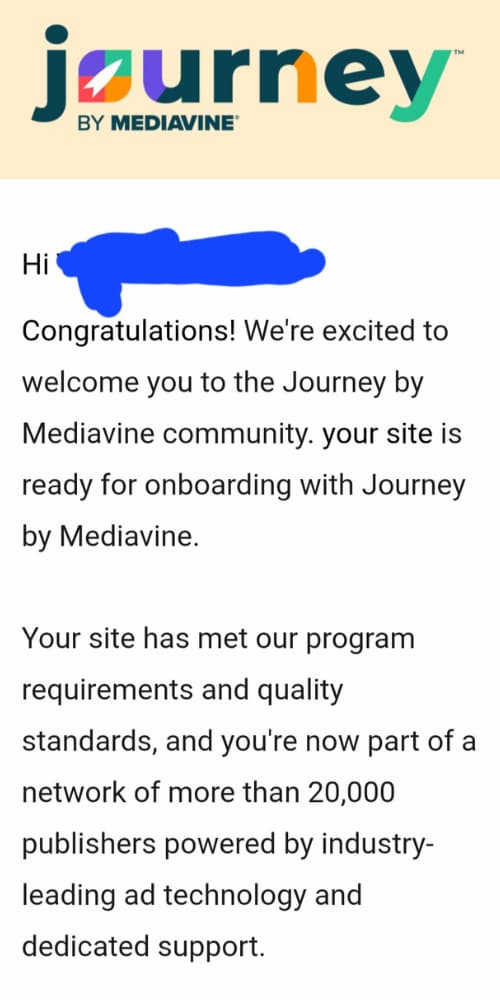
After several months of creating content and promoting my blog on Pinterest, I was accepted into Journey by Mediavine.
It was an exciting milestone because it showed me that a small blog could start developing real monetization opportunities.
You can read more about my experience in How I Got Accepted Into Journey by Mediavine With a Small Blog.
Digital Products
Depending on your niche, you could eventually sell products such as:
- Printable planners
- Activity packs
- Ebooks
- Templates
- Digital guides
For example, a parenting blogger might create printable activity sheets, while an organization blogger might sell planning templates.
Sponsored Content
Some bloggers work with brands to create sponsored articles or other promotional content.
These opportunities typically depend on your niche, audience, and the brand’s requirements.
You don’t need to decide on every monetization method right now.
Start by creating helpful content and building trust with your readers.
How I Find Time to Blog as a Mom of Three
People sometimes assume you need hours of uninterrupted time to build a blog.
That hasn’t been my experience.
I often sit at my kitchen table around 5 or 6 in the morning, open my laptop, and work on my blog before the rest of the day gets busy.
Sometimes I write an article.
Sometimes I research keywords, update an older post, or create Pinterest pins.
And sometimes I only finish one small task.
But those little sessions add up.
I still blog this way because it works with my family life.
If you’re a busy mom, my biggest advice is to stop waiting for the perfect time to start.
Try breaking blogging into smaller tasks.
For example:
- Monday: Research one blog post idea.
- Tuesday: Create an outline.
- Wednesday: Write the first draft.
- Thursday: Edit and add images.
- Friday: Publish and create Pinterest pins.
Of course, some weeks won’t go according to plan.
Kids get sick. Work gets busy. Family life happens.
That’s okay.
The important thing is finding a routine you can realistically maintain.
5 Blogging Mistakes I Would Avoid as a Beginner
Looking back, there are a few things I would do differently if I were starting again.
1. Spending too much time on website design
A beautiful blog is nice, but helpful content is what gives people a reason to visit.
2. Writing without researching topics
Before spending hours on an article, check whether it’s something your ideal readers are actually looking for.
3. Trying to be on every platform
Choose one main traffic strategy and learn it properly before adding more.
4. Expecting to make money immediately
Blogging takes time. Focus on building useful content, improving your skills, and understanding your audience.
5. Waiting until everything is perfect
Your first blog posts probably won’t be your best.
That’s normal.
You’ll learn by creating, publishing, reviewing your results, and improving.
For more practical tips, read 9 Blogging Mistakes That Waste Your Time (And How to Fix Them).
Frequently Asked Questions About Starting a Blog
Can I Start a Blog With No Experience?
Absolutely.
You don’t need to be a professional writer, web designer, or marketing expert.
You can learn WordPress, SEO, Pinterest, and other blogging skills as you go.
How Much Does It Cost to Start a Blog?
Your main starting expenses are usually a domain name and web hosting.
Bluehost offers introductory WordPress hosting rates, but the total cost depends on the plan, billing period, optional extras, and renewal terms.
You can start with free themes and many free tools to keep additional expenses down.
Can I Have Multiple Blogs With One Bluehost Plan?
Yes. Bluehost’s Starter WordPress hosting plan currently supports up to 10 websites.
That means you can create separate blogs under one hosting plan, subject to its shared storage and resource limits.
Each additional blog generally needs its own domain name if you want it to have a separate website address.
How Many Blog Posts Should I Write Before Launching?
You don’t need dozens.
I recommend starting with a few useful articles and continuing to publish consistently.
It’s better to start learning from real readers than spend months waiting for a perfect launch.
How Long Does It Take to Make Money Blogging?
There’s no fixed timeline.
Some bloggers earn their first commission relatively early, while others spend months or longer building traffic before generating meaningful income.
Your results depend on your niche, content, traffic, monetization strategy, and many other factors.
Is Blogging Still Worth Starting?
Blogging can still be worthwhile if you enjoy creating helpful content and are willing to treat it as a long-term project.
It can help you build digital skills, connect with readers, and explore different income opportunities.
But it’s not a guaranteed or passive source of income.
You Don’t Need More Free Time to Start a Blog
If you’ve been thinking about starting a blog but keep telling yourself you’re too busy, I hope this guide helps you see that you can begin with small steps.
I started mine at the kitchen table, early in the morning, with three kids and a busy schedule.
I didn’t know everything about WordPress, SEO, Pinterest, or affiliate marketing.
I learned along the way, and I’m still learning.
And one of the things blogging has taught me is that the more you create, the more ideas you discover, and the more opportunities you begin to recognize.
You don’t have to build an entire online business this week.
Choose your topic. Pick a blog name. Set up your website. Write your first helpful article.
Then keep going.
And if you’re ready to turn your blogging idea into a real website, you can explore Bluehost’s WordPress hosting plans here.
Your blog doesn’t have to start big.
It just has to start.
One Comment